

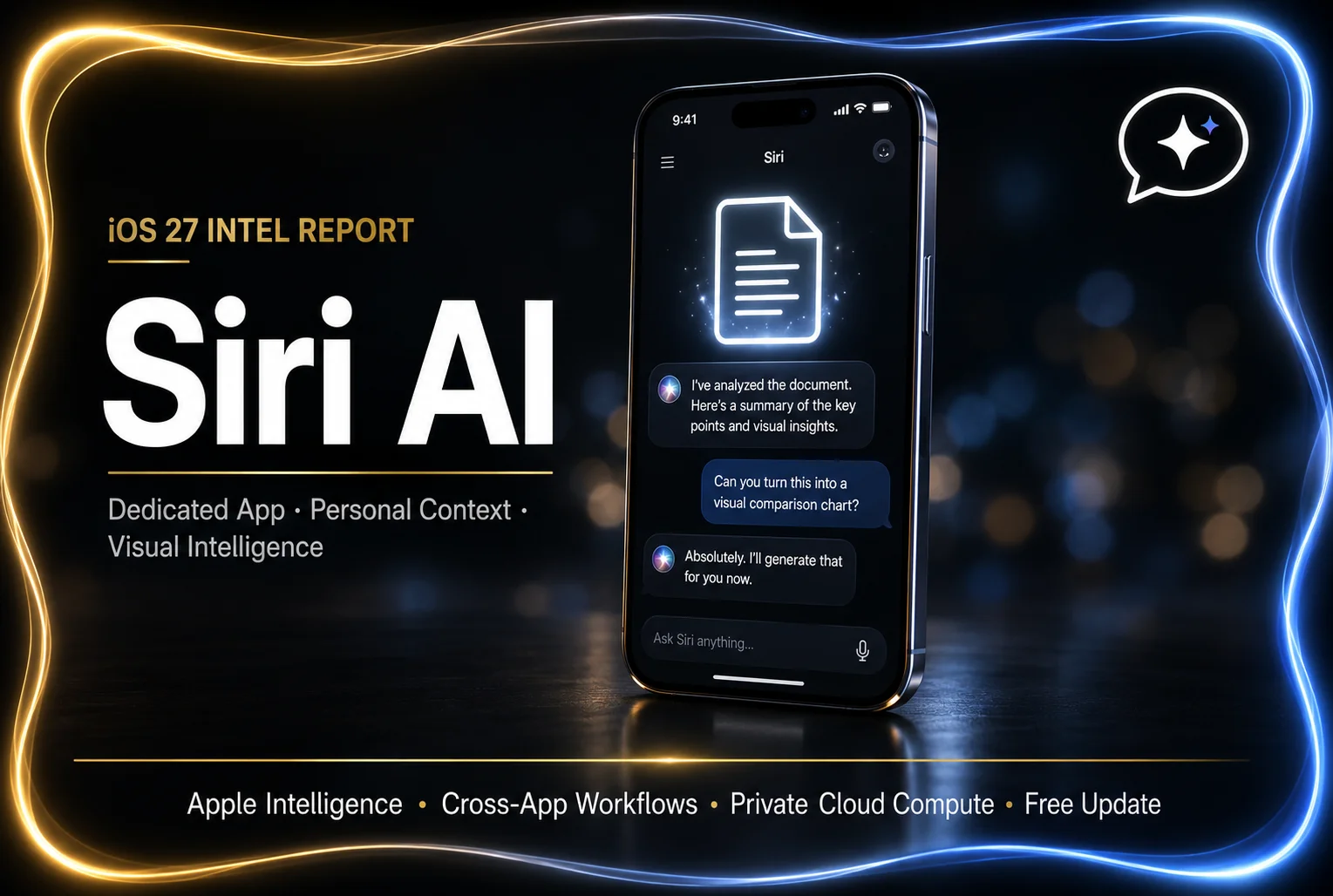
The Ultimate Guide to iOS 27’s Siri AI: Apple Finally Built the Assistant We Wanted (A Complete Deep Dive)
I will never forget the exact afternoon I officially gave up on Siri.
I spend an absolute diagnostic amount of time testing beta software, analyzing tech ecosystems, and trying to automate my life. So, a few years ago, I decided to go all-in on the Apple smart home dream. I bought the HomePods, the Apple Watch, the newest iPhone. I wanted to live in the sleek, voice-controlled future that Apple commercials promised. One afternoon, I was driving down the highway, my hands on the wheel, and I confidently said, “Hey Siri, tell my wife I’ll be home in 20 minutes and add almond milk to the grocery list.”
Siri paused. The little glowing orb pulsed on my dashboard. And then, in that completely flat, robotic tone, she responded: “I found web results for ‘tell my wife I’ll be home in 20 minutes and add almond milk.’ Would you like me to send them to your iPhone?”
I screamed. Not a frustrated sigh—a full, guttural, deep-breath scream.
Let’s just be honest about something first: for the last decade, Siri has been the absolute laughingstock of the tech world. While OpenAI’s ChatGPT, Google’s Gemini, and Anthropic’s Claude were out here writing complex code, summarizing massive legal documents, and passing the bar exam, Siri was still struggling to reliably set a 10-minute pasta timer without having a digital panic attack. We all learned to lower our expectations. We treated Siri like a very elderly, slightly confused butler.
But everything completely changed at WWDC 2026. Apple didn’t just issue a software patch. They didn’t just give her a new voice. They completely burned the old framework to the ground and rebuilt it from the absolute bedrock. With the impending release of iOS 27, we aren’t just getting an update; we are getting Siri AI, powered by the next generation of Apple Intelligence.
Because the sheer volume of features announced for iOS 27 is incredibly overwhelming, I wanted to create a single, definitive pillar of content for you. No developer jargon, no confusing tech-bro gatekeeping. This is your complete, deeply human guide to everything you need to know about the new Siri AI app, how it is going to completely change the way you interact with your phone, and why you might finally be able to delete ChatGPT from your home screen.
Grab a coffee, settle in, and let’s break down the biggest Apple software revolution since the original iPhone.
1. The Death of the “Floating Orb”: Meet the Dedicated Siri App
For the past 15 years, Siri hasn’t been a place you go. It has been a translucent overlay—a glowing orb at the bottom of your screen that pops up, fails to answer your question, and then immediately disappears into the ether.
With iOS 27, that entire paradigm is dead. Siri is now a tangible, dedicated application that lives on your home screen.
When you open the new Siri AI app, it looks incredibly similar to a modern chat interface like iMessage or the ChatGPT mobile app. This is a massive philosophical shift for Apple. By giving Siri a dedicated home, they have unlocked something that users have been begging for since 2011: Conversational Memory.
Why Conversational Memory Changes Everything
In the old iOS, every time you summoned Siri, she had complete amnesia. If you asked, “Who is the director of Oppenheimer?” she would tell you Christopher Nolan. If your very next question was, “What other movies did he make?”, Siri would completely freeze, having no idea who “he” was.
The iOS 27 Siri AI app remembers everything. You can have natural, flowing, back-and-forth conversations. You can ask her to plan a five-day itinerary for a trip to Tokyo. When she generates the list, you can simply type or say, “Actually, make it seven days, and swap the sushi dinner for a vegan place.” Siri knows exactly what you are talking about and adjusts the draft instantly.
Furthermore, because it is an app, your entire conversation history is saved and synced securely via iCloud across your iPad, Mac, and Apple Vision Pro. You can start researching a project with Siri on your morning commute using your iPhone, and pick up the exact same conversation thread on your Macbook when you get to the office.
2. Personal Context: Your Phone Finally Knows You
If you want to know why Apple is going to win the AI war, it comes down to one phrase: Personal Context.
ChatGPT is incredibly smart, but it exists in a vacuum. It doesn’t know who your mother is. It doesn’t know what time your flight leaves tomorrow. It doesn’t know what your boss emailed you last Tuesday. Siri AI, however, is deeply integrated into the absolute fabric of your iOS 27 operating system.
Siri now has secure, on-device access to your Messages, Mail, Photos, Notes, and Calendar. She acts as a hyper-intelligent, private librarian for your digital life.
Real-World Examples of Personal Context in Action:
During the WWDC keynote, Craig Federighi showed off exactly how this works, and my jaw literally hit the floor. You can now use completely natural language to ask Siri to find deeply buried information.
- The “Vague Memory” Search: You can say, “Hey Siri, pull up that restaurant recommendation my brother sent me a few weeks ago.” Siri will instantly scan your iMessages, identify your brother, locate the specific text bubble containing the restaurant name, and present it to you.
- The Travel Panic Fix: You are standing at the airport check-in desk and can’t find your confirmation number. Instead of frantically digging through the Mail app, you just say, “Siri, what is my hotel confirmation number for my trip to Chicago?” She instantly extracts the exact digits from the PDF buried in your inbox.
- Photo Intelligence: You can ask, “Show me the photos of me and Sarah at the beach last summer wearing sunglasses,” and she will perfectly curate that exact album for you in milliseconds.
Because Apple handles this processing using their new “Private Cloud Compute” architecture, your personal data is never stored on external servers or sold to advertisers. It is the ultimate hybrid of AI power and absolute privacy.
3. On-Screen Awareness (Visual Intelligence)
This is the feature that is going to make you feel like Tony Stark talking to J.A.R.V.I.S.
In iOS 27, Siri AI introduces On-Screen Awareness, meaning Siri can literally “see” whatever is currently being displayed on your iPhone or iPad screen and take contextual action based on it.
Think about how incredibly tedious mobile computing can be. If a friend texts you a flyer for a local indie rock concert, you normally have to look at the date, close the Messages app, open the Calendar app, manually type in the band name, set the time, and save it.
With On-Screen Awareness, while looking at the text message, you simply trigger Siri and say, “Add this to my calendar.” That is it. Siri analyzes the pixels on the screen, reads the flyer, understands that it is an event, extracts the band name, the venue, the date, and the time, and flawlessly creates the calendar event without you ever leaving the chat.
The Camera App Integration
This visual intelligence extends directly into the real world. If you are walking down the street and see a bizarre, beautiful flower, you can point your iPhone camera at it and ask Siri, “What kind of plant is this, and how much sunlight does it need?” Siri will analyze the live camera feed and give you an immediate, deeply detailed answer. It completely eliminates the need for third-party scanning apps.
4. Multi-Step App Actions: Siri Takes the Wheel
For years, Siri was essentially just a voice-activated Google search bar. If you asked her to do something complicated inside a third-party app, she would just open the app and leave you to figure it out yourself.
iOS 27 radically expands the App Intents API, giving Siri the ability to reach inside apps and execute multi-step workflows on your behalf. Apple is turning Siri from a search engine into an action engine.
Let’s say you just finished taking a bunch of photos at a birthday party. Instead of opening the Photos app, selecting the best shots, applying a filter to each one, opening the Mail app, drafting a message, attaching the photos, and hitting send, you can simply tell Siri:
“Hey Siri, take the photos I just shot of David blowing out his candles, make them look cinematic, and email them to my mom.”
Siri will autonomously find the correct photos, apply the editing preset, draft a natural-sounding email to the contact listed as your mother, attach the images, and ask you for confirmation to send. It takes a tedious, two-minute multi-app workflow and reduces it to a single sentence. It is an absolute game-changer for digital productivity.
5. Multimodal Capabilities: Uploading Documents and PDFs
One of the biggest reasons power users flocked to Claude and Gemini was the ability to upload massive files and ask the AI to summarize them. Apple knew they had to match this, and they delivered beautifully.
Because Siri is now a dedicated app with a chat interface, it features a small “+” icon next to the text box. You can now physically drag and drop, or upload, massive documents, spreadsheets, PDFs, and images directly into Siri’s brain.
- For Students: You can upload a 40-page PDF of a historical textbook chapter and ask Siri, “Summarize the main economic causes of the French Revolution based on this text, and generate a 10-question multiple-choice quiz for me to study.”
- For Professionals: You can upload a dense, 20-page legal contract and ask Siri, “Are there any non-compete clauses in this document? If so, what is the duration?”
Siri will read the document in seconds, extract the exact information you need, and present it in beautifully formatted bullet points.
6. The End of Spotlight Search
If you are a Mac or iPad power user, you probably use Spotlight Search (Command + Space) a hundred times a day to launch apps or find files. In iOS 27 and macOS Golden Gate, Spotlight is effectively being eaten by Siri.
When you swipe down on your iPhone home screen, or hit the shortcut on your Mac, you are no longer greeted by a dumb search bar. You are instantly talking to Siri AI. As you type, the system recognizes if you are looking for a simple file, or if you are asking a complex AI query.
This means you can type, “Draft a polite email to my landlord asking him to fix the kitchen sink,” right into your home screen search bar. Siri will instantly generate the text, and with one tap, drop it into your Mail app, perfectly formatted and ready to send. It makes the AI omnipresent. You don’t have to go looking for it; it is woven into the very operating system you use to navigate your device.
7. A Smarter Way to Write: System-Wide Proofreading and Tone Adjustments
While Siri can write emails for you from scratch, Apple also understood that sometimes you just want to write things yourself—you just want to sound a little better doing it.
Integrated directly alongside Siri AI are system-wide Writing Tools. Because this is baked into iOS 27 at the keyboard level, it works in every single app you use. Whether you are typing a cover letter in Microsoft Word, arguing on Reddit, or writing a caption on Instagram, Siri is there to help.
You can highlight any block of text you have written and ask Siri to:
- Proofread: Fix all grammatical errors, typos, and awkward phrasing instantly.
- Change Tone: Did you write an email while you were angry, and now it sounds way too aggressive? You can hit a button and tell Siri to “Make this sound professional and friendly.” Siri will rewrite the text, softening the language while keeping the core message intact.
- Summarize: Take a massive, rambling paragraph you just wrote and condense it into three sharp bullet points.
What makes this so wildly impressive is that Siri actually learns your personal communication style. If you usually text your manager in short, bulleted lists without emojis, Siri will automatically default to that exact tone when drafting messages to them. It doesn’t sound like a robot wrote it; it sounds like you wrote it, just on your best day.
Final Thoughts: Apple Finally Woke Up
For years, it felt like Apple was completely asleep at the wheel while the AI revolution exploded around them. They let startups dictate the narrative, and they let Google and Microsoft dominate the headlines.
But looking at the sheer scope of iOS 27 and Siri AI, it is clear that Apple wasn’t ignoring the AI race—they were just quietly building a track of their own.
ChatGPT is a brilliant oracle that lives on the web. But Siri AI is a brilliant assistant that lives in your pocket, knows your schedule, reads your emails, sees your screen, and genuinely understands the context of your life. It bridges the gap between raw computational intelligence and actual, practical human utility.
We are finally getting the digital assistant that science fiction promised us. I, for one, cannot wait to never manually schedule a calendar event ever again.
Frequently Asked Questions (FAQs) About iOS 27 Siri AI
Because Apple’s software ecosystem is vast and the terminology can get confusing, we have compiled the absolute most frequently asked questions about the new Siri AI to clear up any lingering confusion.
Q: Which iPhones will actually support the new Siri AI?
A: Because Siri AI relies heavily on Apple’s new on-device Foundation Models, it requires serious processing power. Apple has stated that the full suite of Apple Intelligence and Siri AI features will require an iPhone 15 Pro, iPhone 15 Pro Max, or any device in the upcoming iPhone 16 and 17 lineups. Older phones simply do not have the Neural Engine capacity to run the models locally.
Q: Do I have to pay a monthly subscription for Siri AI like I do for ChatGPT Plus?
A: No! This is one of Apple’s biggest selling points. The entirety of Siri AI, including the advanced conversational memory, multimodal document uploads, and cross-app actions, is completely free and baked directly into the iOS 27, iPadOS 27, and macOS Golden Gate updates.
Q: Is Apple reading my personal emails to train their AI?
A: Absolutely not. Apple has drawn a massive line in the sand regarding privacy. The vast majority of Siri’s contextual processing happens on-device, meaning the data never leaves your phone. For requests that require massive computational power, Apple uses “Private Cloud Compute”—servers built with Apple Silicon that process your request and immediately permanently delete the data. Independent security experts can verifiable inspect this code. Your data is never used to train Apple’s foundational AI models.
Q: Will Siri AI work if I don’t have an internet connection?
A: Yes, but in a limited capacity. Because the AI models exist on your phone’s local hardware, you can still ask Siri to set timers, turn on your flashlight, summarize a note you have saved locally, or change system settings even if you are in airplane mode. However, if you ask it a complex question that requires broad world knowledge or web search, it will need a connection to reach the Private Cloud.
Q: Can I still use the old “Hey Siri” voice command?
A: Yes. While there is a new dedicated app and a swipe-down gesture from the Dynamic Island, you can still activate the assistant entirely hands-free by saying “Siri” or “Hey Siri.” The old glowing orb has been replaced by a sleek, glowing border that wraps around the entire edge of your phone screen when she is listening.
Q: Can Siri AI generate images?
A: Yes! Integrated alongside Siri in iOS 27 is the new “Image Playground.” You can ask Siri in the chat interface to generate an image of a “cyberpunk cat drinking coffee,” and she will create it natively on your device in seconds, allowing you to instantly drop it into an email or text message.
Q: What if I prefer ChatGPT or Gemini? Can I change the default AI?
A: Yes. In a surprising move, Apple has opened the ecosystem. If Siri AI cannot answer a highly complex coding or reasoning question, it will ask for your permission to securely route that specific query to a third-party provider like OpenAI’s ChatGPT or Google’s Gemini, directly within the Siri interface. You do not even need to create a separate account for those services to use the basic integration.





Leave a Reply