

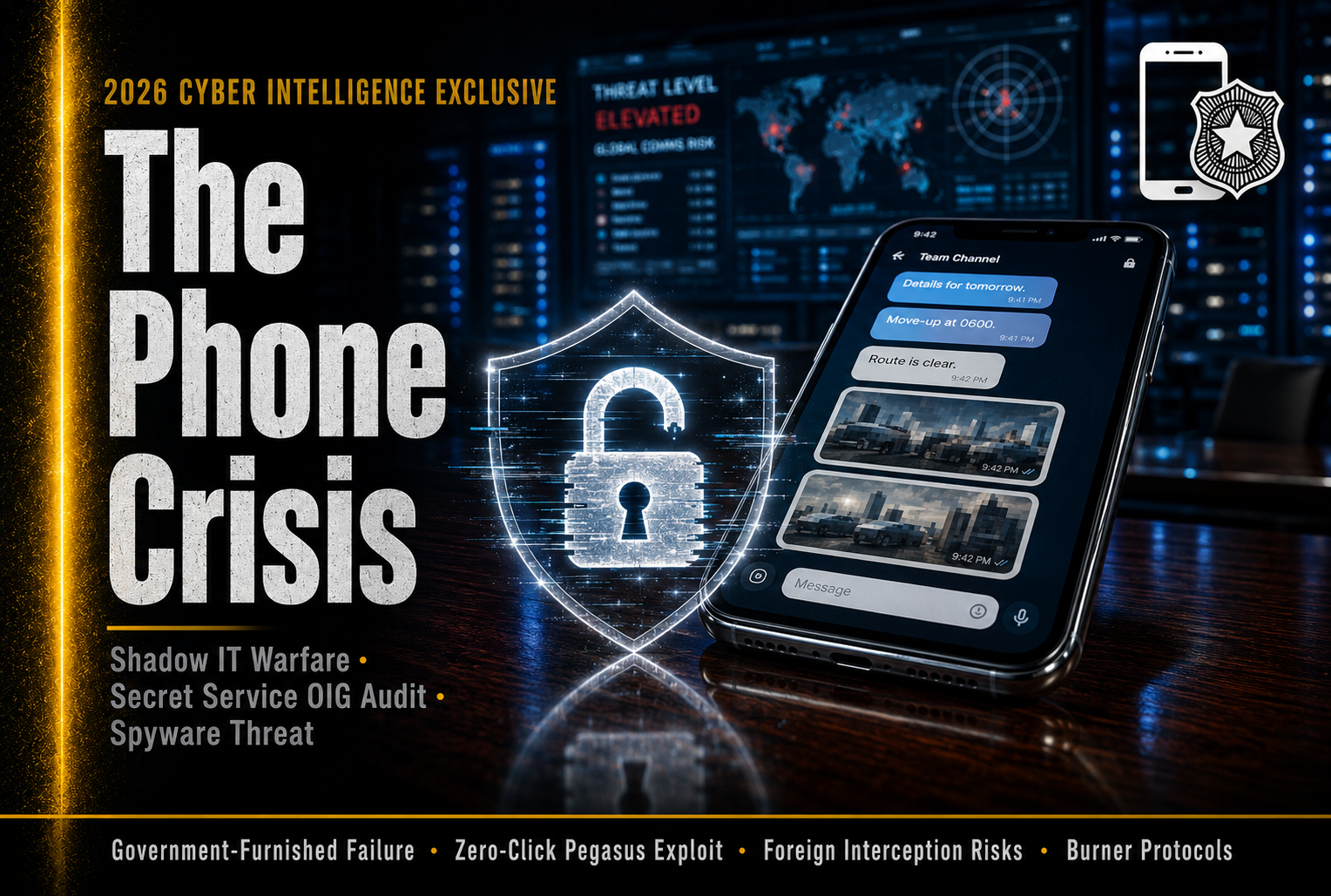
The Secret Service Smartphone Crisis: Why the World’s Elite Protectors Resorted to Personal Phones in 2026
I vividly remember the exact afternoon my phone lit up with the push notification about the Department of Homeland Security’s latest Inspector General report.
I spend a borderline unhealthy amount of time dissecting cybersecurity frameworks, mobile threat defense protocols, and the constant, invisible cyberwar happening over our global cellular networks. Usually, I’m reading about corporate data breaches, supply chain attacks, or ransomware gangs holding hospitals hostage. But in late June 2026, I found myself staring at a government PDF that detailed a security failure so fundamental, so incredibly basic, that I actually had to read it twice to make sure it wasn’t a parody.
Let’s just be completely real for a second: when you picture the United States Secret Service, you picture the absolute pinnacle of operational security. You imagine encrypted earpieces, heavily armored SUVs, “The Beast,” and technology so highly classified it doesn’t even have a public name. We assume that the men and women standing between the President and a bullet are equipped with the most sophisticated communication tools on the planet.
But the reality? The reality exposed by the OIG report is that the agents protecting our national leaders, visiting foreign dignitaries, and presidential candidates were actively coordinating highly sensitive protective movements using their own personal, unmanaged smartphones.
Why? Because their government-issued phones were so heavily locked down and poorly managed by their own IT department that they literally couldn’t send a group text or share a photo.
This isn’t a scene from a bad spy thriller; it is the bureaucratic reality of mid-2026. Because this story is buried under dense government acronyms, audit timelines, and cybersecurity jargon, I wanted to create a single, definitive guide for you. No PR spin, no political grandstanding, and absolutely no fluff. This is your complete, deeply human guide to exactly what went wrong with the Secret Service’s mobile device security, the terrifying threat vectors of foreign travel, and why the ultimate vulnerability in any security system is always human convenience.
Grab a coffee, settle in, and let’s pull back the curtain on the biggest digital security blind spot in modern protective history.
Part 1: The June 2026 Bombshell (What Actually Happened)
To understand how bad this is, you have to look at the timeline. Following the heightened scrutiny on the Secret Service after the events of July 13, 2024, the DHS Office of Inspector General (OIG) began digging into the agency’s internal operations. On June 25, 2026, they dropped a report that sent shockwaves through the cybersecurity community.
The audit, which reviewed records from October 2022 through April 2025, revealed a staggering failure by the Secret Service Office of the Chief Information Officer (OCIO).
The agency manages roughly 8,000 Government-Furnished Equipment (GFE) mobile devices. These are the smartphones given to special agents, officers, and support personnel. You would expect these devices to be loaded with secure, military-grade communication apps. Instead, the OCIO had placed heavy limitations on them. For a two-year period ending in May 2025, agents were completely blocked from sending group texts or receiving and sending pictures on their government phones.
Imagine you are an advance agent securing an outdoor venue in a foreign capital. You spot an individual matching the description of a known threat. You need to instantly blast a photo of that person to the 15 other agents securing the perimeter. But your government phone won’t let you send a picture, and it won’t let you group-text the team.
What do you do? You do what any human being trying to accomplish a zero-fail mission would do: you pull your personal iPhone or Android out of your pocket, open iMessage or WhatsApp, and send the photo.
The OIG report noted that the use of personal devices didn’t just happen occasionally; it became completely “normalized,” “expected,” and “routine.” Agents were even submitting expense reports claiming reimbursement for using their personal phones on international trips. The bureaucracy had literally normalized bypassing its own security.
Part 2: The Psychology of “Shadow IT” on the Front Lines
In the tech industry, we have a term for this: Shadow IT. It refers to employees using unauthorized software, hardware, or applications to do their jobs because the officially sanctioned tools are too slow, too clunky, or entirely broken.
In a standard corporate marketing department, Shadow IT looks like an employee using their personal Dropbox account to send a large video file because the corporate email server blocks large attachments. It’s a data leak risk, sure, but it usually just results in a slap on the wrist from the IT guy.
In the United States Secret Service, Shadow IT is a massive, existential national security threat.
The agents on the ground are not malicious. They are highly trained professionals who operate in environments where a split-second delay can mean the difference between life and death. If the technology provided by the OCIO stands in the way of operational speed, the agents will simply bypass the technology. The mission always comes first.
The failure here isn’t on the agents in the field; it is a catastrophic failure of IT leadership. The OCIO failed because they did not understand the “ground truth” of their operators. They built security policies for a sterile laboratory, completely ignoring the chaotic, fast-paced reality of protective operations. When you build a security protocol that prevents an employee from doing their actual job, you haven’t secured the organization—you have just forced the employee to operate in the dark.
Part 3: The Foreign Threat Vector (The Nightmare Scenario)
Using a personal phone in Washington D.C. is bad. Using a personal phone while accompanying a protectee on a diplomatic trip to a foreign, adversarial nation is a cybersecurity nightmare of epic proportions.
Let’s break down exactly what happens when an agent’s personal phone connects to a cell tower in a high-risk country.
1. The SS7 Vulnerability
The global cellular network relies on a signaling protocol called SS7 (Signaling System No. 7). It is an incredibly old, inherently flawed system that telecom companies use to route calls and texts between different networks. Foreign intelligence services have known for a decade that if they have access to their own country’s telecom infrastructure (which they always do), they can exploit SS7 to intercept SMS text messages, reroute phone calls, and perfectly track the GPS location of a phone just by knowing its phone number. If an agent is texting motorcade routes via standard SMS on their personal phone, the host nation’s intelligence service is reading those texts in real-time.
2. Zero-Click Spyware (The Pegasus Problem)
Personal phones are vastly more vulnerable to military-grade spyware like NSO Group’s Pegasus. State-sponsored hackers can deploy “zero-click” exploits. This means the agent doesn’t even have to click a malicious link or download a weird file. The attacker simply sends a specially crafted invisible message to the phone, and the device is instantly compromised.
Once infected, the foreign adversary has “root” access. They can silently turn on the phone’s microphone to record room audio (a hot-miking attack). They can turn on the camera. They can read encrypted messages before they are encrypted. They can access the agent’s emails. If an agent carries an infected personal phone into a classified briefing room, the enemy is sitting in the room with them.
3. The Lack of Wiping Protocols
This is perhaps the most jaw-dropping detail in the entire OIG report. Because personal phones are unmanaged by the government, the OCIO cannot force them to be wiped or factory-reset after a trip.
The report quoted one employee who stated their personal phone had never been wiped over eight years and 20 international trips, including travel to high-risk countries. Another agent reported taking 15 international trips over eight years and estimated their phone had been wiped maybe four times.
These agents were walking around with devices that were practically guaranteed to be carrying dormant foreign malware, bringing them right back into the United States and straight into the inner circles of the federal government.
Part 4: The Tech Stack Failure (Why GFE Devices Suck)
So, why were the government phones so terrible in the first place? It comes down to a fundamental misunderstanding of Mobile Device Management (MDM) and Mobile Threat Defense (MTD).
The “Lock It Down” Fallacy
For years, the standard government approach to mobile security was simply to lock the device down until it was practically a brick. You disable the camera, you disable location services, you disable Bluetooth, and you block the installation of any app that isn’t explicitly on a tiny, outdated whitelist.
This approach works great if the phone is just a desk ornament. But for a mobile workforce that relies on rapid visual communication, it is crippling.
The OIG found that the OCIO did not have a formal intake process to properly identify the operational needs of the agents. They didn’t test mobile app code before full deployment. At one point, the Secret Service relied on a third-party messaging solution with automatic archiving, but they abruptly stopped using it in May 2025. This created a massive capability gap. They took away the secure tool and didn’t replace it, forcing agents to fend for themselves.
The Missing Threat Defense
Even worse, the government phones themselves weren’t properly monitored for active attacks. It wasn’t until August 2025—well after the critical lapses identified in the report—that the OCIO finally started installing Mobile Threat Defense (MTD) software on government devices. MTD is a critical layer of security that continuously monitors a phone’s operating system, network traffic, and app behavior to detect if it has been jailbroken, compromised, or subjected to a man-in-the-middle Wi-Fi attack. For years, the Secret Service was flying completely blind to attacks on their own hardware.
Part 5: Fixing the Unfixable (The Path Forward)
The OIG report didn’t just point out the flaws; it made five very specific recommendations. The Secret Service agreed to all of them, acknowledging that their OCIO needs to radically overhaul its approach. But what does a “fixed” Secret Service mobile policy actually look like in late 2026?
1. Realigning Security with Reality (The Intake Process)
First and foremost, the OCIO must get out of the server room and into the field. They need to demonstrate a formal intake process where they sit down with the protective details and ask, “What are the exact technical capabilities you need to keep this protectee alive today?” If the answer is encrypted group chats and high-res photo sharing, the OCIO has to build a secure, compliant pipeline for exactly that.
2. Deploying Government-Sanctioned Encrypted Messaging
The days of standard SMS text messaging are over. The agency must deploy enterprise-grade, end-to-end encrypted messaging apps that look and feel as fast and intuitive as Signal or iMessage, but are strictly controlled by the government’s MDM servers. These apps must support ephemeral messaging (messages that auto-delete after a set time to prevent data accumulation if the device is lost) while still complying with federal archiving laws where required.
3. The “Burner” Phone Protocol for Foreign Travel
Taking your daily-driver smartphone to a high-risk country is operational suicide. The Secret Service must enforce strict “burner” protocols. When an agent leaves for an international assignment, they should be issued a clean, freshly wiped device loaded only with the absolute minimum apps required for that specific trip. The moment that agent steps off the plane back on U.S. soil, that device goes straight into a digital incinerator—it is factory wiped, audited for malware, and completely sanitized.
4. Banning the Personal Phone
Finally, once the government provides a tool that actually works, they must aggressively enforce the ban on personal devices during protective operations. You cannot have a culture where claiming reimbursement for a personal international data plan is considered “routine.”
Part 6: What This Means for Your Own Digital Armor
It is easy to point fingers at the Secret Service and laugh at the bureaucracy. But let’s turn the mirror around for a second. If the agency responsible for protecting the leader of the free world struggles to secure a smartphone, what hope do you or your business have?
The 2026 OIG report is a massive wake-up call for the private sector and everyday citizens. The threats targeting Secret Service agents are the exact same threats targeting corporate executives, journalists, activists, and everyday people.
Here are the harsh lessons you need to apply to your own digital life right now:
1. Segregate Your Digital Life
Never, ever mix your personal life with your sensitive corporate data. If your company issues you a phone, use it strictly for work. Do not put your banking apps on it. Do not log into your personal social media. Conversely, do not use your personal phone to access your company’s internal servers. The “Bring Your Own Device” (BYOD) culture is a security nightmare. Demand separation.
2. Reboot Your Phone Weekly
This sounds stupidly simple, but it is one of the most effective ways to break the chain of a spyware attack. Many sophisticated, zero-click mobile exploits live purely in the phone’s RAM (Random Access Memory) to avoid leaving a permanent footprint on the hard drive. If you power your phone completely off and turn it back on at least once a week, you kill the in-memory malware. It forces the attacker to re-infect you, which increases their chances of getting caught.
3. Kill SMS. Use Signal.
Standard SMS text messages are unencrypted, easily intercepted, and fundamentally broken. Stop using them for anything remotely sensitive. Move your family, your friends, and your team to end-to-end encrypted platforms like Signal.
4. Audit Your App Permissions
Your smartphone is a leaky faucet of data. Do you really need to give that free calculator app access to your microphone and your precise GPS location? Go into your settings right now and ruthlessly revoke permissions for any app that doesn’t explicitly need it to function.
Final Thoughts: The Human Element of Cybersecurity
At the end of the day, the 2026 Secret Service mobile device crisis isn’t a story about broken microchips or faulty code. It is a story about human nature.
We have spent decades trying to solve cybersecurity by building higher walls, more complex passwords, and tighter server-side restrictions. But the human being is always the weakest link in the chain—not because we are stupid, but because we are pragmatic. We want to get the job done. If a security policy makes doing the job impossible, the human being will always find a workaround, even if that workaround exposes the entire system to a devastating attack.
The attackers know this. They aren’t trying to out-calculate the government’s encryption algorithms; they are simply waiting for an exhausted agent to pull out a personal phone because the secure one won’t send a picture.
In the digital world of 2026, the best defense is not a draconian policy that turns a smartphone into a brick. The best defense is building secure technology that is actually a joy to use. Until government IT departments figure out how to balance airtight security with frictionless usability, the shadow IT problem will never truly go away.
Stay alert, keep your devices updated, and remember: in the game of mobile security, convenience is almost always the enemy of privacy.
Frequently Asked Questions (FAQs) About Secret Service Mobile Security
Because this topic blends highly classified government operations with complex mobile technology, I’ve compiled the absolute most common questions regarding the 2026 Secret Service mobile device crisis to ensure you have the facts.
Q: What exactly is a “GFE” device?
A: GFE stands for Government-Furnished Equipment. It refers to the official smartphones, tablets, and laptops issued to federal employees by their agency’s IT department. These devices are supposed to be heavily managed, tracked, and secured by the government.
Q: Why couldn’t the Secret Service agents just send pictures on their government phones?
A: According to the OIG report, the agency’s Office of the Chief Information Officer (OCIO) heavily restricted device capabilities in an attempt to secure them. For a two-year period, this included completely disabling the ability to send group texts or share photos, rendering the devices practically useless for fast-paced, coordinated protective teamwork.
Q: What is Mobile Device Management (MDM)?
A: MDM is software that allows an IT department to centrally control, secure, and enforce policies on smartphones. An MDM system allows the government to remotely wipe a lost phone, push critical security updates, and block the installation of unapproved, dangerous apps (like TikTok or unauthorized games).
Q: Is it illegal for Secret Service agents to use personal phones?
A: While it may not be a criminal offense, using personal, unmanaged devices for official government business is a direct violation of Department of Homeland Security and component policies. It creates massive security vulnerabilities and violates federal records retention laws, as official communications must be archived.
Q: What makes a personal phone so dangerous in a foreign country?
A: When a personal phone connects to a foreign cellular network, the host country’s telecom infrastructure handles all the data. Without the enterprise-grade encryption, VPN tunnels, and Mobile Threat Defense (MTD) software required on government devices, personal phones are sitting ducks for interception, location tracking, and spyware infections by foreign intelligence agencies.
Q: What is “Pegasus” and why is it a threat?
A: Pegasus is a highly sophisticated, military-grade spyware developed by the NSO Group. It can be deployed as a “zero-click” attack, meaning it can infect a smartphone without the user ever clicking a malicious link. Once installed, it gives the attacker total control over the phone, including access to encrypted messages, the microphone, and the camera.
Q: Why didn’t the Secret Service just use secure apps like WhatsApp?
A: While WhatsApp features end-to-end encryption, it is a commercial app owned by Meta, and it does not inherently comply with federal records management requirements for archiving official government communications. Furthermore, commercial apps on unmanaged phones still leave the device vulnerable to operating-system-level compromises.
Q: Did the attempted assassination of former President Trump have anything to do with this report?
A: Yes and no. The mobile device management failures were happening long before July 2024. However, the OIG noted that it was during the course of their other reviews into the agency after the July 13, 2024 assassination attempt that they discovered agents were frequently using personal cell phones, which triggered this specific audit.
Q: What is Mobile Threat Defense (MTD)?
A: MTD is a specialized security application that continuously monitors a mobile device in real-time. It looks for behavioral anomalies, malicious network traffic, sideloaded apps, and signs that the device’s operating system has been “jailbroken” or rooted by malware. The Secret Service was criticized for not rolling out MTD to all devices until August 2025.
Q: How did the Secret Service respond to the OIG report?
A: The agency officially concurred with all five recommendations made by the Inspector General. They acknowledged the security gaps and committed to overhauling the OCIO’s intake processes, testing apps before deployment, and ensuring that GFE devices actually meet the mission needs of the agents so that personal phone use can be eliminated.










Leave a Reply