
Xbox Cloud Gaming: The Complete Guide to Playing Xbox Games on Any Device in 2026
I remember the first time I actually sat down and used Xbox Cloud Gaming properly. Not a quick test, not a five minute demo — I mean actually loaded up a game on my phone during a lunch break, picked up exactly where I left off on my console the night before, and played for forty minutes without touching an Xbox. That was the moment I stopped thinking of cloud gaming as a gimmick and started thinking of it as something that genuinely changes how you relate to your game library.
If you have been curious about Xbox Cloud Gaming but not entirely sure what it is, what it costs, which devices it works on, or whether it is actually worth using in 2026, this is the guide you have been looking for. No marketing spin. No feature checklist that reads like a press release. Just an honest practical breakdown of everything you need to know.
What Is Xbox Cloud Gaming and How Does It Actually Work
Xbox Cloud Gaming — previously known as xCloud — is Microsoft’s game streaming service. The basic idea is straightforward: instead of running a game on your local hardware, the game runs on Microsoft’s servers and the video is streamed to your device in real time. Your controller inputs go up to the server, the game responds, and the result comes back to your screen. Done well, the experience feels remarkably close to playing locally. Done poorly, you get lag and stuttering that makes the whole thing frustrating.
The good news is that Microsoft has invested enormously in making this work well. Their server infrastructure runs on custom Xbox Series X hardware, which means the games you stream are running on current-generation console hardware rather than some watered-down cloud approximation. The visual quality and performance you get from Xbox Cloud Gaming reflects what the game actually looks like on a proper Xbox — not a compromised version of it.
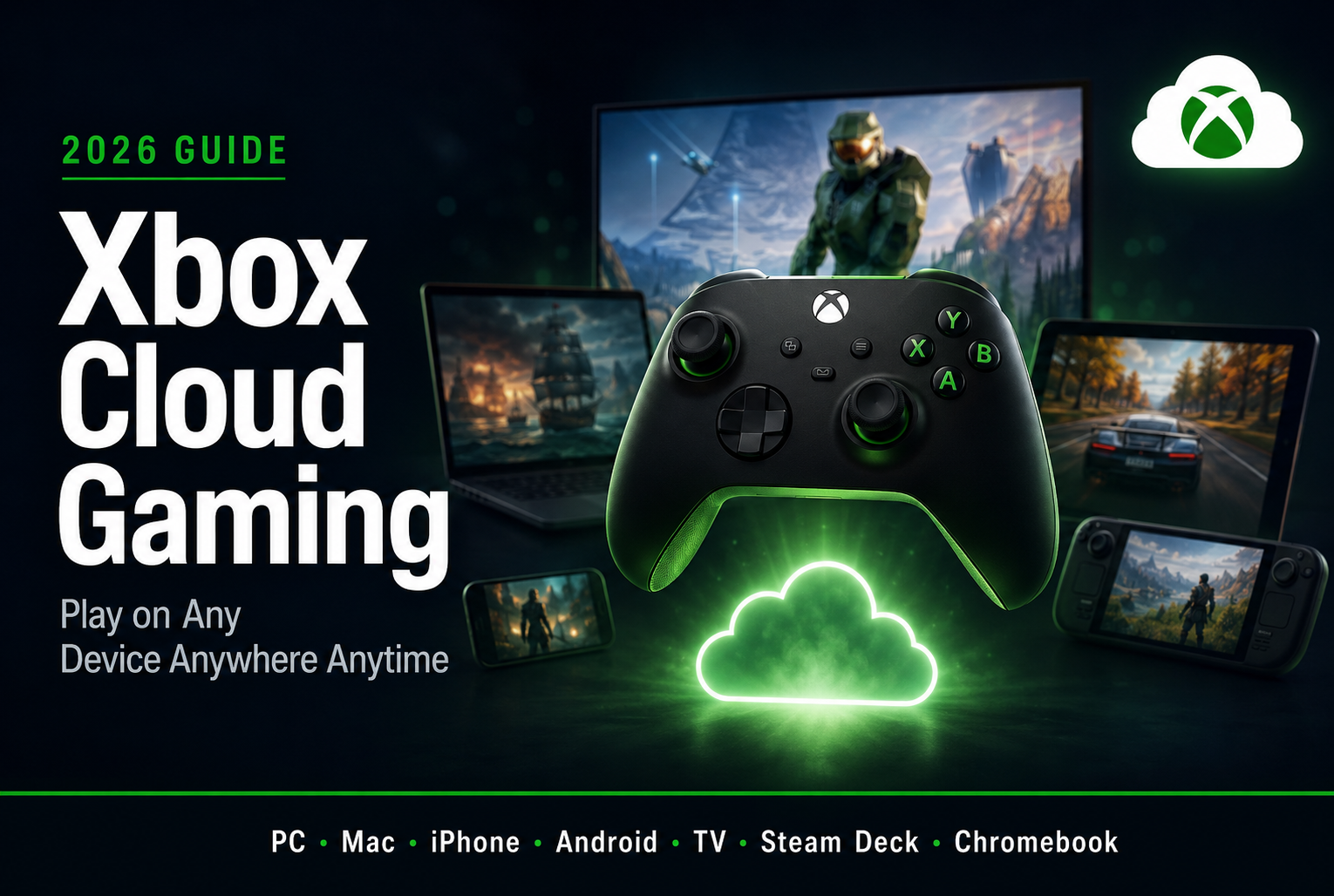
What this means practically is that you can play full current-generation Xbox games on a phone, a tablet, a laptop, a Chromebook, a Mac, a smart TV, or virtually any device with a browser and a decent internet connection. No downloads for most titles. No installations. No waiting for updates. You open the game and you play.
Xbox Cloud Gaming Subscription: What You Need and What It Costs
Here is the part that trips people up because Microsoft has changed how Xbox Cloud Gaming is packaged a few times and the current structure is worth understanding clearly.
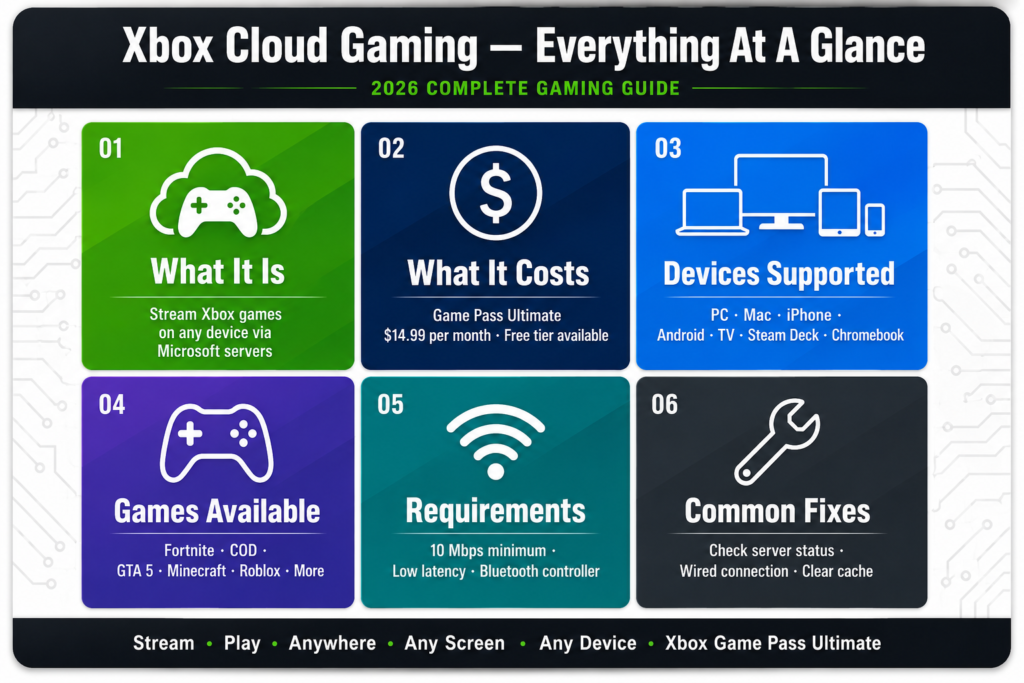
Xbox Cloud Gaming is included with Xbox Game Pass Ultimate. This is the top-tier Game Pass subscription and it includes cloud gaming access, console Game Pass, PC Game Pass, and an EA Play membership all in one package. As of 2026 the pricing sits at around $14.99 per month in the US.
There is also a version of Xbox Cloud Gaming that is available with ads — a free tier that lets you access a limited selection of games without a subscription. This is genuinely useful for people who want to try cloud gaming before committing to a subscription or for casual players who do not need the full Game Pass library.
The free trial situation varies and Microsoft has adjusted this periodically, but new subscribers have historically been able to access trial periods for Game Pass Ultimate. Worth checking the current offer before committing.
One important thing to understand: you do not need an Xbox console to use Xbox Cloud Gaming. You need a Microsoft account, a Game Pass Ultimate subscription, and a compatible device. That is it. If you have never owned an Xbox in your life, you can still access hundreds of games through cloud streaming.
Xbox Cloud Gaming Devices: Everything It Works On
This is genuinely one of the most impressive things about Xbox Cloud Gaming in 2026 — the sheer range of devices it supports.
Xbox Cloud Gaming on PC
Playing Xbox Cloud Gaming on PC works through the Xbox app or through a browser. The experience on PC is solid and for people who want to play console-style games without buying a console, this is a compelling option. The Xbox app on Windows gives you the cleanest experience with the best integration for controller support and game management.
Xbox Cloud Gaming on Mac
Xbox Cloud Gaming for Mac works through a browser rather than a dedicated app, which is a slight limitation but not a dealbreaker. Safari and Chrome both work well. Performance on Mac depends more on your internet connection than your hardware since the game runs on Microsoft’s servers rather than your MacBook. Xbox Cloud Gaming on Mac and Xbox Cloud Gaming on Macbook work on the same basis — open your browser, go to xbox.com/play, log in and start gaming.
Xbox Cloud Gaming on iPhone and iPad
Xbox Cloud Gaming on iPhone and iPad is available through a browser-based approach after Apple’s App Store policies created complications for the dedicated app. The experience through Safari on iOS is genuinely good — better than you might expect from a browser-based gaming interface. Xbox Cloud Gaming on iPhone works well for shorter gaming sessions and games that do not require pixel-perfect precision controls. Connect a controller via Bluetooth for the best experience.
Xbox Cloud Gaming on Android
Xbox Cloud Gaming on Android has a proper dedicated app available through the Google Play Store. The Android experience is arguably the smoothest mobile cloud gaming experience currently available because of the direct app rather than browser workaround. Xbox Cloud Gaming Android download is straightforward — search Xbox Game Pass in the Play Store and the cloud gaming functionality is built in.
Xbox Cloud Gaming on Steam Deck
This is a combination that makes a lot of sense in practice. The Steam Deck is excellent portable hardware and using Xbox Cloud Gaming on Steam Deck through a browser gives you access to the entire Xbox Game Pass library on Valve’s handheld. The experience requires some setup but the Steam Deck community has documented the process thoroughly and it works well once configured.
Xbox Cloud Gaming on Smart TVs and Streaming Devices
Xbox Cloud Gaming on TV has expanded significantly. Samsung smart TVs have a native Xbox app. Xbox Cloud Gaming on Apple TV works through the app. Xbox Cloud Gaming on Firestick and Xbox Cloud Gaming on Roku work through browser-based approaches. Xbox Cloud Gaming on Google TV is available through the Google Play Store on supported devices. The common requirement across all of these is a Bluetooth controller since you obviously cannot use a keyboard and mouse on your couch TV setup in any practical way.
Xbox Cloud Gaming on Chromebook
Chromebook support for Xbox Cloud Gaming works through the browser or through the Android app via the Play Store depending on your specific Chromebook model. For students and people who use Chromebooks as their primary device, this is a genuinely useful way to access a substantial game library on hardware that was never designed for gaming.
Xbox Cloud Gaming Games: What Can You Actually Play
The Xbox Cloud Gaming games library is substantial and continues to grow. As a Game Pass Ultimate subscriber you have access to hundreds of titles across virtually every genre — from massive open-world games to indie darlings to sports titles to shooters.
Popular titles available through Xbox Cloud Gaming include Fortnite, which is actually free to play through cloud gaming even without a Game Pass subscription making it a notable exception to the general subscription requirement. Xbox Cloud Gaming Fortnite on mobile has been particularly significant given that Fortnite was removed from iOS and Android app stores previously.
Xbox Cloud Gaming Call of Duty titles are available and these are among the most played games on the service. Xbox Cloud Gaming GTA 5 is accessible for players who want to revisit Los Santos without the hardware requirements. Xbox Cloud Gaming Minecraft works well for a game that is beloved across age groups and device types. Xbox Cloud Gaming Rocket League, Xbox Cloud Gaming Warzone, Xbox Cloud Gaming Roblox, and Xbox Cloud Gaming Sims 4 are all part of the accessible library.
Sports gaming fans will find titles like Xbox Cloud Gaming UFC 5 and various EA Sports titles available through the EA Play component of Game Pass Ultimate.
The full Xbox Cloud Gaming games list changes regularly as titles are added and removed from Game Pass, so checking the current library on xbox.com before assuming a specific game is available is always worth doing.
Xbox Cloud Gaming Requirements: What You Actually Need
The hardware requirements for Xbox Cloud Gaming are refreshingly minimal because the heavy lifting happens on Microsoft’s servers rather than your device.
What you need is a device capable of running a modern browser or the Xbox app — which describes virtually any smartphone, tablet, laptop, or smart TV made in the last five years. You need a Microsoft account. You need an Xbox Game Pass Ultimate subscription for the full library. And you need a controller for most games, though some titles support touch controls on mobile.
The internet connection requirement is where things get more specific. Microsoft recommends a minimum of 10 Mbps for standard quality streaming and 20 Mbps or higher for better performance. A wired ethernet connection produces more stable results than WiFi for most players, though modern WiFi is typically adequate. A 5GHz WiFi connection is noticeably more stable than 2.4GHz for cloud gaming.
Latency matters more than raw speed for cloud gaming. A connection with 100 Mbps download but high latency will produce a worse gaming experience than a 25 Mbps connection with low latency. If you are experiencing Xbox Cloud Gaming lagging issues, checking your ping to Microsoft’s servers is often more informative than checking your download speed.
Xbox Cloud Gaming Controller: What Works and What Doesn’t
Most Bluetooth controllers work with Xbox Cloud Gaming across devices. The obvious first choice is an Xbox Wireless Controller which connects via Bluetooth to any compatible device and works seamlessly with the service. The Xbox controller is designed for this ecosystem and the button mapping, triggers, and thumbstick feel are optimized for the games you will be playing.
Third-party controllers from brands like Razer, 8BitDo, and PowerA also work well through Bluetooth. PlayStation controllers — DualShock 4 and DualSense — work on PC and Android through Bluetooth though the button labels in games will still show Xbox button prompts which can be slightly disorienting until you adapt.
For mobile gaming specifically, clip-style controllers that attach directly to your phone are worth considering for longer sessions. The Razer Kishi and backbone controller are popular options that give you a proper controller feel without needing to prop your phone up separately.
Xbox Cloud Gaming mouse and keyboard support exists for some titles — primarily games that were designed for PC and support those input methods natively. Not every game in the cloud gaming library supports mouse and keyboard so checking individual game support before assuming it works is worthwhile.
Xbox Cloud Gaming controller not working issues are usually resolved by ensuring Bluetooth is properly connected, the controller firmware is updated, and the browser or app has permission to access the controller. On PC, the Xbox app tends to handle controller detection more reliably than browser-based access.
Xbox Cloud Gaming Status and Common Issues
Xbox Cloud Gaming server status is something worth knowing how to check before concluding that a problem is on your end.
Microsoft maintains an official Xbox status page that shows current service health including cloud gaming specifically. If the status page shows everything as operational and you are still having problems, the issue is likely local rather than a widespread service problem.
Xbox Cloud Gaming not working issues generally fall into a few categories. Connection problems — where the stream will not start or drops frequently — are almost always related to internet stability rather than Microsoft’s servers when the status page is green. Try a wired connection or move closer to your WiFi router. Xbox Cloud Gaming not working on PC specifically is sometimes related to browser compatibility — Microsoft Edge and Chrome tend to work most reliably.
Xbox Cloud Gaming lagging and input delay are the most common complaints and the most directly tied to your internet connection quality and proximity to Microsoft’s servers. The service uses a network of Azure data centers and your experience improves when you are geographically closer to one of these facilities.
Xbox Cloud Gaming black screen issues on startup are usually resolved by refreshing the page or restarting the app. If they persist clearing your browser cache often fixes the problem for browser-based access.
For real-time outage information beyond Microsoft’s own status page, Xbox Cloud Gaming down detector on Downdetector aggregates user reports and can confirm whether a problem is widespread.
Xbox Cloud Gaming Unblocked: Playing at School or Work
Xbox Cloud Gaming unblocked access at school or work environments where gaming sites are typically restricted is a common search topic. The reality is that network restrictions at schools and workplaces are set by administrators and bypassing them through VPNs or proxy services violates most institutional acceptable use policies.
The practical legitimate approach for playing during breaks is using mobile data rather than the institution’s WiFi network. Your phone’s data connection is not subject to the school or workplace network restrictions and using Xbox Cloud Gaming on your phone through mobile data is the cleanest way to play in these environments without running into policy conflicts.
Xbox Cloud Gaming Free to Play: What You Can Access Without a Subscription
Beyond Fortnite, Microsoft has expanded the free-to-play section of Xbox Cloud Gaming that does not require a Game Pass subscription. This tier gives anyone with a Microsoft account access to a rotating selection of free-to-play titles through the cloud.
This free access tier is genuinely useful as an introduction to what cloud gaming feels like before committing to a subscription. The game selection is more limited than what subscribers get but it is real gaming — not a demo or a trial with artificial restrictions.
The Xbox Cloud Gaming with ads model that Microsoft introduced allows access to a broader selection without a paid subscription in exchange for watching advertisements between sessions. This positions the service similarly to ad-supported streaming video services and gives cost-conscious players a way to access cloud gaming without a monthly fee.
Is Xbox Cloud Gaming Worth It in 2026?
This is the honest question and here is the honest answer — it depends entirely on how you game.
If you already subscribe to Xbox Game Pass Ultimate for the console or PC game library, Xbox Cloud Gaming is an included benefit that costs you nothing extra. In that case it is absolutely worth using whenever it is convenient — playing on your phone during a commute, finishing a session on a hotel room TV, or jumping into a game on a device that cannot run it natively.
If you are considering Game Pass Ultimate specifically for cloud gaming with no existing Xbox ecosystem, the value calculation is more personal. At $14.99 per month you are getting hundreds of games plus cloud access plus EA Play. For regular gamers who would otherwise be buying individual titles that is strong value. For casual players who might play a few hours a month it is worth comparing against the cost of simply buying the individual games you want.
The technology itself in 2026 is genuinely good enough for most gaming contexts. The latency is acceptable for the majority of game types. Fast-paced competitive shooters where milliseconds matter are still better experienced locally. Story games, RPGs, sports titles, and casual games all play excellently through cloud streaming.
Conclusion
Xbox Cloud Gaming has quietly become one of the most genuinely useful gaming technologies available in 2026. The ability to play current-generation Xbox games on a Mac, an iPhone, an Android phone, a Chromebook, a Steam Deck, a smart TV, or practically any other screen you happen to have nearby — without buying additional hardware and without managing downloads — represents a real shift in what gaming flexibility looks like.
The service is not perfect. Fast-paced competitive games still benefit from local hardware. Connection quality affects the experience more directly than traditional gaming. And the subscription cost is a real consideration for budget-conscious players.
But for anyone already in the Xbox ecosystem or anyone looking for a way to access a massive game library across multiple devices without the hardware investment, Xbox Cloud Gaming in 2026 is well worth your time and attention. The infrastructure has matured, the game library is substantial, and the device compatibility is broader than it has ever been.
If you have never tried it, the free Fortnite access or an available trial period is the lowest-risk way to find out whether it works for your setup. Most people who try it properly — with a good controller and a stable internet connection — come away more impressed than they expected.
Frequently Asked Questions
What is Xbox Cloud Gaming? Xbox Cloud Gaming is Microsoft’s game streaming service that lets you play Xbox games on phones, tablets, PCs, Macs, smart TVs, and other devices by streaming games from Microsoft’s servers rather than running them on local hardware.
How much does Xbox Cloud Gaming cost? Xbox Cloud Gaming is included with Xbox Game Pass Ultimate at approximately $14.99 per month. A free tier with limited games and ad support is also available without a subscription.
Does Xbox Cloud Gaming work on iPhone? Yes. Xbox Cloud Gaming on iPhone works through the Safari browser. Connect a Bluetooth controller for the best experience.
What internet speed do I need for Xbox Cloud Gaming? Microsoft recommends a minimum of 10 Mbps though 20 Mbps or higher produces better results. Low latency matters as much as raw download speed for a smooth streaming experience.
Can I play Xbox Cloud Gaming on Mac? Yes. Xbox Cloud Gaming for Mac works through a browser — Safari or Chrome both work well. No dedicated Mac app is required.
Is Xbox Cloud Gaming available on Android? Yes. The Xbox Game Pass app on Android includes cloud gaming functionality and is available through the Google Play Store.
What controllers work with Xbox Cloud Gaming? Xbox Wireless Controllers work best but most Bluetooth controllers including third-party options work across compatible devices. Touch controls are available for some mobile games.
Why is Xbox Cloud Gaming lagging? Lag in Xbox Cloud Gaming is almost always related to internet connection quality or latency rather than device performance. Try a wired connection, move closer to your router, or switch to a 5GHz WiFi band.
Can I play Xbox Cloud Gaming for free? Yes. Fortnite is available free through Xbox Cloud Gaming without a subscription. Microsoft also offers a free-with-ads tier for a limited game selection and periodic free trial offers for Game Pass Ultimate.
Does Xbox Cloud Gaming work on Steam Deck? Yes. Xbox Cloud Gaming on Steam Deck works through a browser and gives you access to the full Game Pass library on Valve’s handheld hardware.



Leave a Reply