

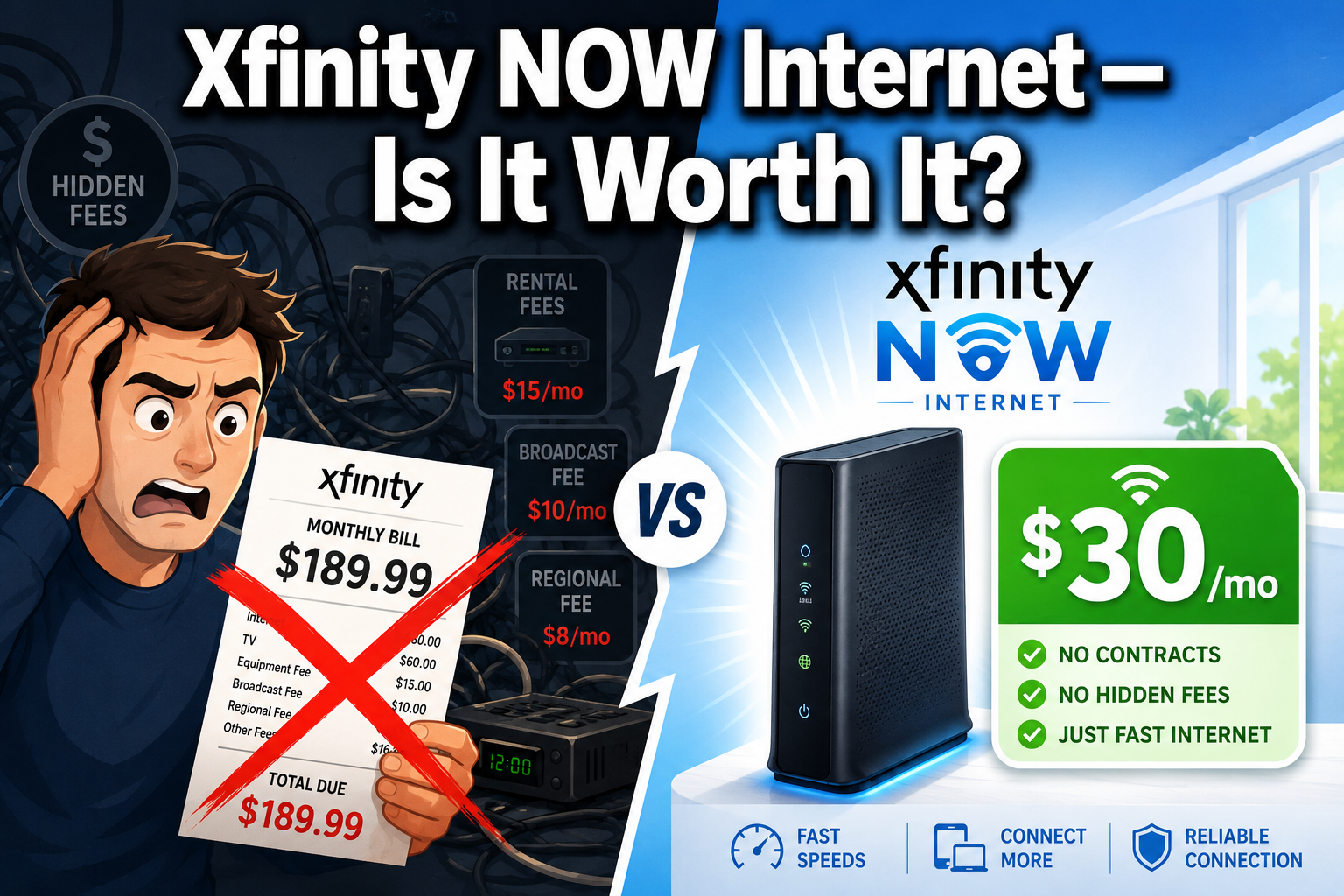
Have you ever opened your monthly cable bill only to feel your blood pressure instantly spike? We have all been there, staring in utter disbelief at a random assortment of broadcast TV fees, regional sports surcharges, and mystery equipment rentals that magically inflated your baseline rate. It feels like a high-stakes game of financial hide-and-seek where the consumer always loses. Thankfully, the home broadband landscape is undergoing a massive shift, and Comcast has thrown its hat into the no-strings-attached ring with its latest prepaid service tier. This comprehensive Xfinity NOW Internet review takes a deep, uncompromised look at this budget-friendly service to see if it delivers real value or just a headache. We will strip away the marketing fluff, dive straight into the technical nitty-gritty, and analyze whether this contract-free option can legitimately handle your household’s daily streaming, gaming, and working demands.
Choosing an internet service provider often feels like picking between a rock and a hard place, especially when traditional plans lock you into multi-year agreements. What if you just want simple, reliable connectivity without the corporate drama? That is precisely the itch that this prepaid service attempts to scratch by offering an alternative to the usual promotional rate traps. We spent weeks gathering real-world user data from online communities, combing through technical specifications, and tracking network performance metrics to give you the honest truth. By treating your home internet more like a prepaid smartphone plan, Comcast is completely changing the rules of engagement for cable broadband. Let us unpack the entire ecosystem step by step so you can decide if it is time to dump your expensive postpaid package for something far more predictable.
What Exactly Is Xfinity NOW Internet?
Think of this service as the no-frills, casual dining version of traditional home broadband. Instead of signing a mountain of paperwork and agreeing to hand over your hard-earned cash for the next twenty-four months, you simply buy your data access thirty days at a time. It represents Comcast’s direct response to the massive wave of cord-cutting and the aggressive rise of 5G home internet providers who have been stealing cable customers left and right. This service bypasses the standard gatekeeping hurdles entirely, meaning you do not have to worry about credit checks, long-term commitments, or random price hikes when a promotional window slams shut. You receive a basic, functional gateway device in the mail, plug it into an existing coaxial outlet, and pay a flat monthly rate that includes all taxes and equipment fees.
This setup functions beautifully for folks who value absolute financial predictability over raw, face-melting gigabit speeds. It strips away the complex bundles, the aggressive upselling, and the exhausting negotiation sessions with retention agents that usually define the cable experience. You manage everything through a simplified mobile interface, treating your home Wi-Fi exactly like a utility that you turn on or off based on your current situational needs. It is an intentional unbundling of the traditional internet product, designed to appeal to a generation of consumers who absolutely despise hidden fees and corporate obfuscation. By focusing purely on essential connectivity, this prepaid option serves as an entry-level bridge for households that want reliable cable performance without the premium price tag.
The Evolution of Prepaid Home Internet
For decades, the major telecom giants held an absolute monopoly on how we accessed the digital world, forcing consumers into rigid billing frameworks. You either played by their rules, swallowed their annual price increases, or chose to live in the dark ages without home connectivity. However, the explosive growth of fixed wireless networks and municipal fiber deployments completely shattered that old paradigm. Consumers began demanding the same flexibility from their home broadband that they already enjoyed with prepaid mobile carriers like Mint Mobile or Visible. Comcast recognized that a massive segment of the population was actively looking for an exit ramp from traditional, bloated utility bills. This realization sparked the creation of their initial prepaid experiments, which eventually evolved into the polished, nationwide rollout of the modern NOW ecosystem.
This evolution signifies a massive cultural win for everyday consumers who have long fought against anti-consumer billing practices. It proves that healthy market competition can force even the largest telecom juggernauts to adapt and offer more consumer-friendly options. Rather than treating prepaid internet as a subpar, second-class service for credit-challenged households, providers now view it as a highly competitive weapon. This structural shift means that budget broadband is no longer synonymous with dial-up speeds or ancient infrastructure. Instead, it utilizes the exact same robust hybrid fiber-coaxial lines that feed premium corporate offices, repackaged into a lean, affordable consumer product.
How It Differs From Traditional Postpaid Xfinity Plans
The core differences between these two billing models come down to financial freedom and structural simplicity. Traditional postpaid plans operate on a “use now, pay later” logic, which gives the service provider the leverage to tack on variable fees and back-end surcharges. Those premium tiers often require a credit check because the company is essentially extending you a month of service on credit. Conversely, the prepaid model reverses this dynamic entirely: you pay your flat fee upfront, and if you choose not to renew next month, the service simply lapses without a single penalty. You do not have to deal with early termination fees, nor do you have to return the equipment under a ticking clock to avoid a multi-hundred-dollar penalty.
Another major point of divergence lies in the data cap department, which is a massive talking point for heavy downloaders. Standard postpaid plans frequently impose a strict 1.2 terabyte monthly data limit in many regions, charging you steep overage fees if you dare to stream too much 4K content. This prepaid alternative eliminates that stress completely by offering completely unlimited data caps out of the gate. You can leave your streams running around the clock without ever receiving a threatening email about data overages. However, the trade-off is that you lose access to ultra-high-speed tiers like 1 Gbps or 2 Gbps, forcing you to operate within modest, mid-range bandwidth constraints.
Xfinity NOW Internet Plans and Pricing Breakdown
Let us talk numbers because this is where the service truly shines like a beacon of hope for your wallet. The pricing philosophy here is refreshingly simple: what you see on the screen is exactly what leaves your bank account. There are no sudden regional network enhancement fees or municipal text taxes hidden in the fine print. Comcast currently offers two distinct speed tiers tailored to different budget levels and household sizes. You can pick the entry-level package for a mere $30 per month, or opt for the beefier version at $45 per month.
| Plan Tier | Monthly Price (All-In) | Advertised Download Speed | Advertised Upload Speed | Data Allowance | Equipment Fee |
| NOW Internet 100 | $30.00 | 100 Mbps | 10 Mbps | Unlimited | Included (Refurbished) |
| NOW Internet 200 | $45.00 | 200 Mbps | 20 Mbps | Unlimited | Included (Refurbished) |
When you compare these rates to the broader broadband market, you quickly realize how much cash you can save over a single calendar year. A standard cable plan can easily scale up to $80 or $100 per month once the initial twelve-month introductory discount expires. By locking yourself into a permanent $30 or $45 tier, you are effectively cutting your annual internet expenditures in half. Let us break down each of these individual options to see which speed matches your daily routine.
The 100 Mbps Plan Analyzed
The base tier provides a steady 10 Mbps upload alongside a 100 Mbps download stream for just $30 every thirty days. Now, in an era where internet companies constantly blast advertisements about gigabit speeds, 100 Mbps might sound like a relic of the past. But let us inject some cold, hard reality into the conversation: do you actually need a gigabit connection to read emails and watch Netflix? The answer for the vast majority of solo dwellers, couples, or light users is a resounding no. A single 4K video stream only requires about 25 Mbps of bandwidth, meaning this plan can comfortably handle two simultaneous Ultra-HD movies while you scroll through social media on your phone.
Think of this base plan like a reliable compact commuter car that gets you to work every single day without a fuss. It is not going to win any street races, and it will not turn heads, but it gets the job done efficiently and saves you a fortune at the pump. If your daily digital life consists of remote Zoom meetings, checking bank statements, streaming Spotify, and watching YouTube videos, this $30 package is an absolute steal. It provides a stable baseline of connectivity that easily outperforms patchy public hotspots or overpriced smartphone tethering plans.
The 200 Mbps Plan Analyzed
If you share your living space with roommates, a partner, or tech-dependent kids, stepping up to the $45 monthly plan is a smart move. This tier bumps your download speed up to 200 Mbps and doubles your upload headroom to 20 Mbps, giving the network much more breathing room. This extra capacity prevents the dreaded buffering wheel from spinning when multiple devices try to pull data simultaneously. For instance, one person can be downloading a large work presentation while another is streaming a live sports broadcast, and a third is playing an online multiplayer match without anyone lagging out.
This mid-tier option represents the true sweet spot for the modern, average-sized suburban household. It provides enough raw bandwidth to handle a dozen smart home devices, smart TVs, tablets, and smartphones connected to the same wireless loop. Paying an extra $15 per month to double your download pipeline is a highly reasonable upgrade path that remains far cheaper than standard market offerings. It strikes an excellent balance between aggressive fiscal discipline and modern digital comfort.
Hidden Fees and True Costs Explained
We are naturally conditioned to look for the catch whenever a massive corporation offers a seemingly incredible deal. Fortunately, after scouring customer billing statements and reading through the official service terms, we can confirm there are no hidden gremlins waiting to ambush you. The company explicitly states that the monthly price includes all applicable regulatory fees, local taxes, and the cost of the physical wireless hardware. This means your $30 payment remains exactly $30 month after month, allowing you to budget your utility expenses with absolute precision.
This transparent approach stands in stark contrast to the traditional cable billing machine, which feels designed to confuse the average consumer. On a standard plan, you might see a $49 base rate swell to $72 once they add the wireless gateway rental fee and local infrastructure adjustments. With this prepaid setup, you completely bypass that financial stress, which provides immense peace of mind. The only true upfront cost is the initial purchase of the service, as there are no activation fees or mandatory professional installation charges to worry about.
Performance, Speed, and Reliability Expectations
Raw cost savings do not mean a thing if the actual internet connection drops out every time a storm rolls through or your neighbors log online. Because this service runs over Comcast’s established Hybrid Fiber-Coaxial network, it benefits from the same infrastructure investments as their top-tier enterprise accounts. You are not receiving a diluted, low-priority data stream; you are using the exact same physical copper lines that run through your neighborhood. This translates to highly predictable latency metrics and consistent performance even during peak evening streaming hours when everyone on your block is binging the latest viral series.
However, you must understand the inherent structural limitations of cable technology before signing up. Cable networks are asymmetrical by design, meaning they prioritize downloading data over uploading it because that matches how most people consume content. This is why you see a wide gulf between the 200 Mbps download limit and the 20 Mbps upload cap. If your daily life requires sending massive video projects to a remote corporate server, this structural imbalance could present a significant bottleneck.
Real-World Download and Upload Speed Tests
When you look at real-world speed test results shared by actual users across community forums, a incredibly consistent picture emerges. Subscribers running hardwired ethernet connections routinely report pulling down 102 to 105 Mbps on the base plan, slightly exceeding the advertised limits. Wireless speeds fluctuate depending on how far you stand from the gateway, but they generally hover around 85 to 90 Mbps throughout an average-sized apartment. The upload speeds stick rigidly to their designated 10 or 20 Mbps ceilings, showing very little variance throughout the day.
This level of stability is a massive selling point compared to 5G home internet options, which are notorious for wild performance swings. A 5G tower can deliver 300 Mbps at two in the morning, then crater to 15 Mbps at seven in the evening when the cellular network bogs down with mobile traffic. With this wired cable connection, your speeds remain rock-solid regardless of the hour, offering a highly dependable foundation for your household’s digital life.
Gaming, Streaming, and Remote Work Suitability
Let us address the online gaming community first: will this connection cause you to lag out during an intense multiplayer match? Fortunately, latency or “ping” is dictated by the physical health of the cable lines rather than your maximum speed tier. Because this service utilizes a direct wire to your home, your ping will generally clock in between 15 to 30 milliseconds, which is perfectly optimal for fast-paced competitive gaming. The only real bottleneck occurs when a major modern game drops a massive 100-gigabyte update patch; a 100 Mbps connection will take roughly two hours to pull down that data, requiring a bit of patience.
For remote workers, this service handles standard corporate applications like Slack, Microsoft Teams, and cloud-based spreadsheets with absolute ease. A standard high-definition video call only requires about 3 or 4 Mbps of upload bandwidth, meaning even the base plan can handle a couple of simultaneous corporate meetings. Problems will only arise if you are a professional content creator, automated cloud backup enthusiast, or videographer who constantly pushes massive 4K video files up to the cloud. If that describes your career, you will quickly find yourself wishing for a symmetrical fiber connection instead.
Hardware and the Self-Installation Process
When you purchase this service, Comcast skips the expensive technician deployment and sends you a self-installation kit instead. Inside the cardboard box, you will find a power brick, a length of coaxial cable, and a refurbished Xfinity Gateway router-modem combo unit. Yes, the hardware has likely spent time in another home before being cleaned, tested, and repackaged for you. Do not let the refurbished label scare you off; these devices are rugged, industrial-grade workhorses built to survive years of continuous operation.
The physical design of the gateway is clean and minimalist, featuring a couple of local ethernet ports on the back for hardwiring your most critical devices. It generates a dual-band wireless signal that automatically steers your devices to the best available frequency band depending on your proximity to the hardware. The entire hardware strategy is built around minimizing overhead costs so that Comcast can pass those savings directly down to you through the low monthly rate.
Setting Up Your Refurbished Gateway
The actual setup process is incredibly straightforward, feeling more like activating a new smart speaker than configuring a complex piece of networking gear. You start by downloading the official mobile app onto your smartphone and logging into your newly created account credentials. From there, you hook up the coaxial cable from the wall outlet to the back of the gateway, plug in the power cable, and let the internal software run its automated sequence. The gateway’s status lights will blink through a variety of colors for about ten minutes while it communicates with the local headend and pulls down the latest firmware updates.
Once the physical hardware stabilizes, the mobile application will prompt you to scan a QR code printed on the bottom of the device. This instantly links the physical hardware to your specific billing account and lets you customize your personalized Wi-Fi network name and password. The entire process takes less than fifteen minutes from unboxing to browsing, making it highly accessible for folks who lack technical expertise. The only major roadblock occurs if your home’s internal coaxial wiring was physically disconnected from the street by a technician in the past, which would require an initial line activation.
How to Enable Bridge Mode for Third-Party Routers
For the tech-savvy users out there, the standard wireless range of the included gateway might feel a bit underwhelming, especially if you live in a multi-story home with thick plaster walls. Fortunately, you are not trapped using the built-in Wi-Fi broadcasting system. You can easily access the local Xfinity Gateway configuration panel by opening a web browser on a connected device and typing 10.0.0.1 into the address bar. After logging in with the default admin credentials, you can locate the dedicated hardware toggle to activate bridge mode.
Turning on bridge mode effectively shuts down the gateway’s internal router functions and disables its wireless radios, converting it into a single-purpose cable modem. You can then plug your personal, high-performance mesh Wi-Fi system or standalone gaming router directly into the first ethernet port on the back. This allows your personal hardware to handle all your internal routing, local network security, and smart device management. It is a fantastic workaround that combines the ultra-low cost of the prepaid plan with the superior coverage of your premium third-party wireless gear.
The Big Caveat: Customer Support and Digital-Only Assistance
Every incredible bargain comes with some form of structural compromise, and for this service, that compromise is found in the customer service department. If you run into a billing discrepancy, an extended network outage, or a hardware failure, you cannot pick up your phone and dial a standard support line. Comcast has completely eliminated traditional phone-based customer service agents for this specific prepaid tier. If you attempt to call the standard residential helpline, the automated system will actively block you from reaching a live agent and direct you back to the mobile app.
“By removing expensive call centers from the operational equation, service providers can dramatically lower monthly rates, but the burden of troubleshooting shifts squarely onto the end consumer.” — Telecom Industry Analyst Insight
“By removing expensive call centers from the operational equation, service providers can dramatically lower monthly rates, but the burden of troubleshooting shifts squarely onto the end consumer.” — Telecom Industry Analyst Insight
This digital-only framework means that all your customer interactions must take place through an AI-driven chat assistant or a live digital messaging representative. If your internet goes completely dark, this setup means you will be typing out your technical complaints on your smartphone using cellular data. While the digital chat agents can handle basic tasks like resetting a signal or processing a refund, resolving complex line issues can become an exhausting exercise in patience. If you are someone who deeply values the comfort of speaking to a real human voice during a technical crisis, this single limitation could easily be a total dealbreaker.
Comparing Xfinity NOW to Fixed Wireless and Fiber Competitors
To truly evaluate this budget service, we have to look at how it stacks up against the other major low-cost internet players dominating the market. The most direct competitors are 5G home internet packages and entry-level fiber optic lines. Each technology uses an entirely different physical delivery method, resulting in distinct pros and cons regarding long-term reliability and overall speed consistency.
                  [Internet Competitive Landscape]
                                 |
        +------------------------+------------------------+
        |                        |                        |
[Xfinity NOW Cable]      [5G Home Internet]      [Fiber Optic Lines]
 - Fixed Wired Coax       - Wireless Towers       - Pure Glass Strand
 - Stable, Flat Rates     - Weather Dependent     - Symmetrical Speeds
 - Chat Support Only      - Congestion Vulnerable - Premium Cost Tier
Let us lay out the raw metrics in a direct comparison table so you can see exactly how much performance you are sacrificing or gaining across the different platforms.
| Feature / Metric | Xfinity NOW Internet | T-Mobile / Verizon 5G Home | Standard Fiber (e.g., AT&T) |
| Starting Price | $30.00 – $45.00/mo | $50.00 – $60.00/mo | $55.00 – $80.00/mo |
| Connection Type | Hybrid Fiber-Coax (Wired) | Cellular Fixed Wireless | Fiber-to-the-Home (FTTH) |
| Download Speeds | 100 – 200 Mbps | 75 – 300 Mbps (Variable) | 300 – 1,000 Mbps |
| Upload Speeds | 10 – 20 Mbps | 10 – 30 Mbps (Variable) | 300 – 1,000 Mbps (Symmetrical) |
| Data Cap Policy | Truly Unlimited | Unlimited (Prioritized Lower) | Truly Unlimited |
| Support Model | Digital Chat Only | Phone & In-Store Support | Full Premium Phone Support |
This breakdown shows that while fiber remains the gold standard for raw speed and symmetrical uploading, it demands a much higher monthly financial investment. Meanwhile, 5G home wireless offers competitive pricing but suffers from environmental interference and tower congestion. This places the prepaid cable option in a highly stable middle ground, offering the reliability of a physical wire at a price point that undercuts the wireless cellular competition.
Pros and Cons of Shifting to Prepaid Cable
Let us step back and look at the entire picture through a balanced, critical lens to weigh the fundamental trade-offs of this package. The advantages are undeniably weighted toward financial liberation and everyday peace of mind. You get to completely opt out of the toxic corporate billing cycle that requires tracking promotional expiration dates on your calendar. You also gain access to an unrestricted data pipeline, removing the anxiety of streaming high-definition media or managing large file downloads throughout the month.
On the flip side, you must accept a highly rigid performance ceiling that will never scale up to meet extreme bandwidth demands. The absolute lack of phone support can turn an ordinary service interruption into a multi-hour chat session. Additionally, the reliance on refurbished, older gateway hardware means you miss out on the latest cutting-edge wireless standards like Wi-Fi 7 out of the box. It is a calculated compromise that sacrifices premium perks on the altar of aggressive cost cutting.
Who Is Xfinity NOW Internet Best For?
This service fits beautifully into the lives of budget-conscious college students living in off-campus apartments where money is tight and leases are temporary. Because there are no long-term agreements or early termination fees, students can turn the service on in August and let it lapse in May without paying for a summer of unused data. It also serves as an outstanding option for real estate investors managing short-term rental properties or temporary remote workers who bounce between different cities every few months.
Fixed-income seniors and minimalist households who only use the internet for checking news, sending emails, and streaming an occasional evening movie will also find immense value here. Why pay $90 a month for an elite gigabit line when you only utilize a tiny fraction of that data pipeline? It is all about matching your actual lifestyle needs to the appropriate tier of utility service. If your home does not function as a high-density corporate hub or a professional gaming arena, this prepaid model offers an incredibly sensible path to instantly lower your monthly overhead.
Final Verdict on Xfinity NOW Broadband
When you strip away the corporate marketing jargon, this prepaid internet package emerges as one of the most practical, consumer-first telecom products Comcast has launched in years. It strips away the anxiety of the ticking promotional clock and replaces it with a completely transparent billing model. The connection delivers rock-solid download consistency that easily handles everyday digital tasks without breaking a sweat. It proves that you do not need to overpay for extreme gigabit speeds to enjoy a perfectly smooth and reliable modern internet experience at home.
As long as you understand the limitations—specifically the lack of a phone-support lifeline and the modest upload speeds—this service represents an absolute home run for the budget-focused consumer. It gives you complete control back over your monthly utility budget, proving that high-quality home connectivity does not have to cost an absolute fortune. If you are tired of dealing with confusing bills and want an honest connection for a flat rate, making the switch to this prepaid model is a remarkably smart financial move.
Frequently Asked Questions About Xfinity NOW
Can I use my personal cable modem with this prepaid internet service?
You cannot use your own third-party cable modem or retail gateway device to directly activate this prepaid service plan. Comcast’s system requires the unique MAC address of their official, refurbished gateway kit to initialize and authenticate your monthly prepaid subscription. However, you can easily bypass the gateway’s built-in router and Wi-Fi functionality by logging into the administration panel at 10.0.0.1 and activating the bridge mode setting. This allows you to connect your personal high-end standalone wireless router or whole-home mesh network directly into the gateway’s ethernet port, giving you full control over your internal home network distribution.
Will my monthly subscription cost increase after my first year of service expires?
Your monthly rate will not experience a sudden price jump because this service completely abandons the traditional introductory promotional model. Traditional postpaid internet packages hook consumers with a low initial rate that automatically skyrockets by twenty to forty dollars once the first twelve months wrap up. With this prepaid framework, the $30 or $45 fee remains completely flat and locked in for life, meaning you can look at your utility budget with total confidence year after year. The only way your monthly billing amount changes is if you choose to manually log into your mobile account dashboard and switch between the 100 Mbps and 200 Mbps speed tiers.
What happens if I forget to pay my bill before the thirty-day cycle ends?
If your renewal date passes without a successful payment, your home internet access will simply pause automatically, but you will never face any financial penalties. Traditional internet providers will hit your account with late payment surcharges, equipment non-return fees, or negative marks on your personal credit report if you drop the ball on a bill. Because this is a prepaid utility model, Comcast treats your service lapse with zero hostility; your connection goes dark, and your account sits quietly in a paused state until you choose to log back in and fund another thirty days. This makes it an ideal setup for seasonal travelers, temporary residents, or anyone navigating unpredictable monthly cash flows.
Is a professional technician required to install this prepaid internet kit?
A professional technician deployment is not offered for this specific service tier, as the entire signup process relies entirely on a streamlined self-installation method. The company mail-orders the simplified hardware kit directly to your doorstep with clear visual instructions, allowing you to get the system up and running independently in under fifteen minutes. The only scenario where this self-installation strategy can run into a wall is if your home’s physical external coaxial line was completely cut or physically disconnected from the neighborhood node by a past tenant. In that specific rare instance, you would need to contact their digital support team to arrange a basic line restoration to your property.
How do I contact customer support if my internet connection goes completely down?
If your home connection drops out entirely, you must use the official mobile app or their desktop portal on a smartphone utilizing cellular data to access their digital-only troubleshooting system. You cannot call a standard phone number to reach an agent, as Comcast has removed telephone voice support entirely from this budget-friendly service tier to lower their overhead. The automated digital assistant will guide you through baseline hardware resets and line health checks before routing your conversation to a live chat representative if the problem persists. While this chat-based troubleshooting system can handle most typical issues, it does place the physical burden of diagnosing and explaining the problem directly onto your shoulders.










Leave a Reply